Have your Service Tag ready, then pick any channel below to reach Dell technical support or your dedicated service team. All entries come from Dell's official public resources.
Call local technical support or the China official hotline — best for urgent issues and real-time communication.
Compiled personally in 2026-10. Column A = country/region name, column B = language, column C = local call center phone info, arranged by country/region — handy for quickly finding the local hotline when supporting users abroad or across regions. Reminder: if you use the product long-term in a country other than where it was purchased, transfer the service entitlement promptly.
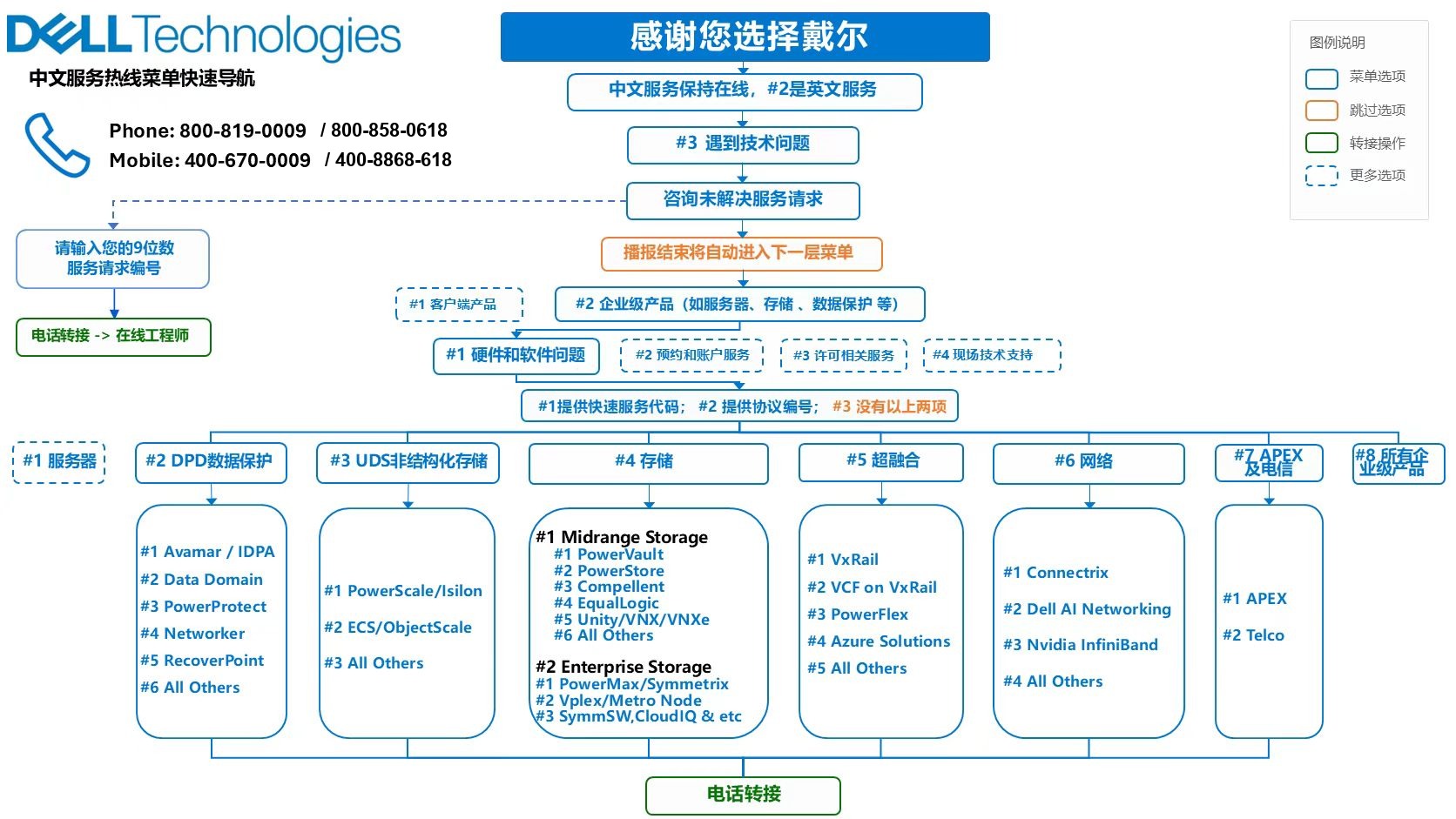
Online case submission, remote-connect and self-service operations entries — no phone wait, ideal for non-urgent and IT administrator scenarios.
Online support request entry. Enter your Service Tag and follow the wizard to submit.
API integration links Dell's internal after-sales system with the customer's IT management system, enabling convenient event creation and progress tracking for repairs and technical consultations. For specific requirements, contact your assigned TCSM.
A centralized, secure connection between your local environment and Dell back-end systems, supporting telemetry and remote assistance. Visit the product page for downloads, docs and configuration guidance.
Dell's online self-service operations portal (Dell TechDirect) for submitting support tickets, tracking repair workflows and managing on-site service.
MVS = Multivendor Support: consolidates multi-brand data-center hardware support under a single contract and a single point of contact.
Dell acts as single accountable party, providing 24×7 technical support and consistent service levels for 25+ major OEMs (storage, servers, networking), simplifying multi-vendor reporting and escalation in mixed-IT environments.
For activation and dedicated contact details, ask your TCSM / service manager; or call the Dell China support hotline (Landline: 800-858-0618 · Mobile: 400-8868-618) and ask for Multivendor Support — a support rep will connect you.
Enter your employee ID and password to continue
Set a new password (you can only change your own)